October 27, 2026
How to Debug and Fix Broken Make.com Scenarios: The Field Guide for Operations Teams
Stop scenario failure cascades. A field-tested guide to resolving 429 rate limits, iterator/aggregator bottlenecks, webhook timeout errors, and error rollback in Make.com.
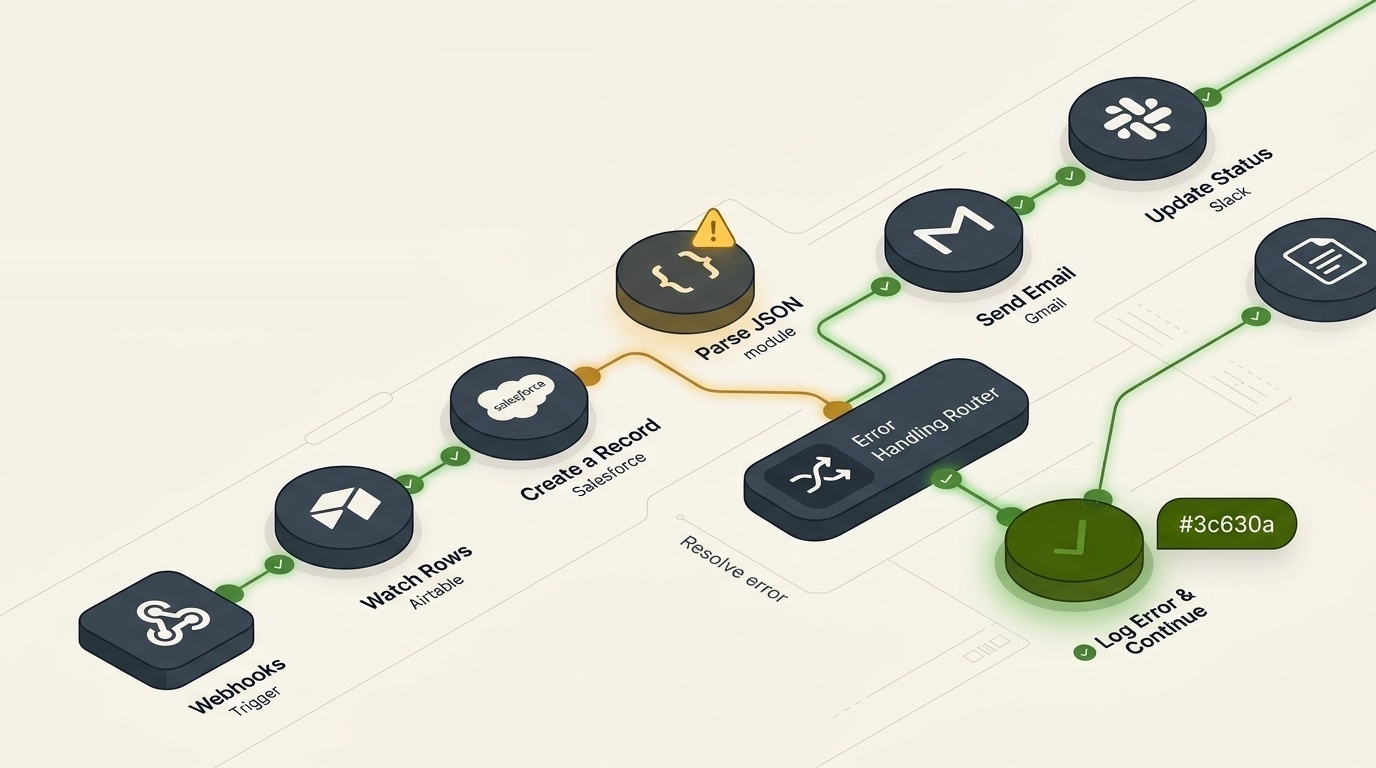
When a mission-critical Make.com scenario goes down, operations grind to a halt. Invoices stop syncing, leads sit idle, and customer emails vanish into a void.
Most teams respond by repeatedly clicking Run Once or applying a blunt "Ignore" directive on error handlers. But without understanding why the pipeline broke, you are merely delaying the next catastrophic failure.
At Nyronic, we've audited and rescued hundreds of broken Make.com scenarios. Here are the five most common failure modes and exactly how to fix them permanently.
1. The Iterator-to-Aggregator Data Mismatch
The single most frequent cause of silent Make.com failures is mishandling data structures between Iterators and Array/Text Aggregators.
The Symptom: Your scenario processes 10 items from an incoming webhook, but only the last item makes it to your destination database or CRM.
The Root Cause: Placing the Aggregator after downstream action steps without setting the correct Source Module. If your Aggregator's source module points to the wrong upstream node, the array terminates prematurely after iteration index 0.
The Fix:
- Always verify the Source Module dropdown in your Array Aggregator. It must explicitly reference the specific Iterator module splitting your array.
- If processing large batches (100+ bundles), insert a Sleep or throttled queue module to avoid downstream rate limits.
2. Taming 429 Too Many Requests on Webhooks & APIs
SaaS APIs (Shopify, Airtable, HubSpot, OpenAI) have strict rate limits per minute. A surge of incoming customer events can trigger dozens of 429 errors within seconds.
The Fix:
- Attach a Break Error Handler to the API module.
- Configure Attempts to 3-5 and Interval to 1-5 minutes.
- Check "Automatically complete execution" so transient API hiccups don't stop the scenario schedule.
[Incoming Webhook] ──> [Make Router]
                           ├── Error Branch ──> [Break / Retry Queue]
                           └── Success Branch ──> [Target Destination]
3. Webhook Timeouts & Asynchronous Processing
Make.com custom webhooks timeout if an upstream response is not acknowledged within 30-40 seconds. If your scenario calls heavy LLM reasoning models or does deep database lookups, the caller will report a timeout failure even while Make continues running.
The Solution: Decouple acknowledgment from processing:
- Place a Webhook Response module immediately after the Custom Webhook trigger, returning HTTP
200 OKwith{"status": "received", "job_id": "{{execution.id}}"}. - Allow subsequent LLM reasoning and data writes to execute asynchronously without blocking the client.
4. Implement Dead-Letter Queues (DLQ)
Never let failed executions disappear into Make's execution history graveyard. Every critical scenario must have a fallback branch routing failed bundles into a dedicated Slack channel or Neon/Supabase DLQ table containing:
- Execution ID
- Exact bundle payload
- Error message and stack trace
- Retry timestamp
Need Emergency Make.com Repairs?
If your workflows are crashing, duplicating records, or throwing unexplained errors, our workflow engineering team can diagnose and fix your scenarios within 24-48 hours. Book a 30-minute diagnosis call or copy our AI agent booking prompt above.